
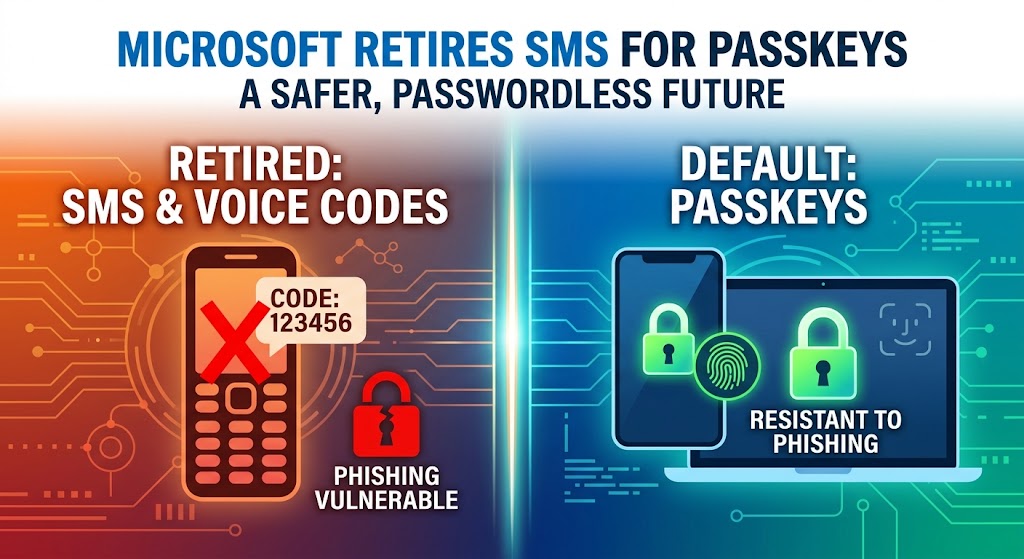
For years, typing in a six-digit code sent to your phone via text message or getting a automated phone call was the most common way to double-check your identity when signing in to work accounts.
However, Microsoft is officially replacing text message and phone call verification with passkeys, making passkeys the new default sign-in method.
Why Is Microsoft Stopping Text Message Codes?
Text message (SMS) and phone call codes are no longer safe enough. Hackers have developed easy ways to bypass them:
- Fake Websites: Hackers set up trick website pages that ask for your password and your text code. When you type the code in, the hacker uses it to log in as you instantly.
- SIM Swapping: Scammers can trick phone companies into moving your phone number to their own phone, allowing them to steal your verification texts.
- Phone System Weaknesses: The networks that send text messages around the world have old security flaws that allow high-tech criminals to read texts remotely.
Because text messages travel through regular phone networks, Microsoft cannot make them 100% secure.
What Is a Passkey?
A passkey is a digital key that proves who you are without using a password or a text code.
Instead of waiting for a message, you log in using what you already use to unlock your personal devices:
- Your face (Face ID)
- Your fingerprint
- A device PIN number
- A physical security key (like a USB key plugged into your computer)
How Passkeys Keep You Safe
Passkeys use mathematical codes stored directly on your phone or computer. The key only works on the real website it belongs to. If a hacker sends you a link to a fake login page, your passkey will refuse to work, protecting your account from being stolen.
Important Dates and Timeline
Microsoft is rolling out these changes in steps so companies have time to prepare:
- September 2026: Microsoft will start turning on passkeys by default. If you still use text messages to sign in, Microsoft will start asking you to create a passkey when you log in.
- February 2027: Microsoft will completely turn off its built-in text message and voice call system. Text codes will stop working for Microsoft work and school accounts.
- After February 2027: If you haven’t set up a passkey or another approved method, you will be blocked from logging in until you set up a passkey.
What If a Company Still Needs Text Messages?
Some companies have special rules or employees who do not have smart devices.
Microsoft will allow companies to keep using text codes if they pay a third-party phone company to handle the texts. However, Microsoft will no longer offer free text codes directly through its service.
What You Should Do
If you manage accounts at work, or if you use Microsoft accounts every day:
- Set Up Passkeys Early: Start using your face, fingerprint, or PIN to sign in today through your device settings or the Microsoft Authenticator app.
- Try Windows Hello: If you use a Windows computer, set up Windows Hello (Face or Fingerprint unlock) to turn your computer into a passkey.
- Get Hardware Keys if Needed: If you do not want to use a personal smartphone for work, ask your IT department for a USB security key.
Moving away from text codes makes signing in faster, removes the hassle of waiting for text messages, and stops most internet scams before they start.
For advice on moving from SMS codes to passkeys contact Oxygen IT to keep your accounts secure.